For the utility check, confirm the provider and exact service address in USAGov help with utility bills. Read the update time, scope, restoration or connection status, and any account-specific follow-up required.
For utility check, make sure USAGov help with utility bills covers the exact address, system, provider, or monitoring location. Keep responsible provider, service or outage status, the record identifier, and the update or effective date when following up on a mismatch.
Identify the utility responsible for utility
Use USAGov help with utility bills after confirming which utility serves the address. A public outage or service-area page may not include account-specific faults.
- USAGov help with utility bills
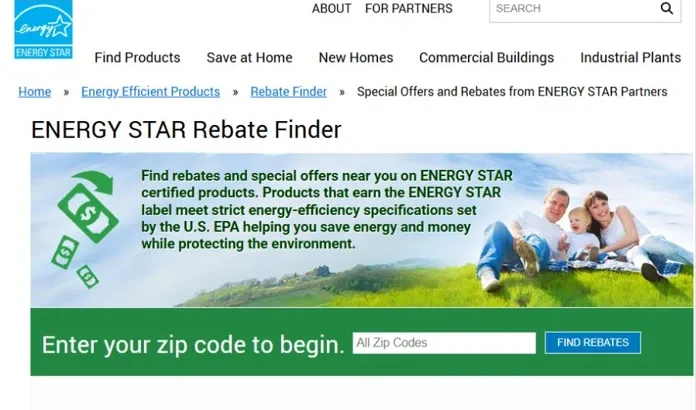
- ENERGY STAR Rebate Finder
- USAGov help with energy bills
- USAGov help with phone and internet bills
- U.S. Department of Energy Weatherization Assistance Program
Keep the full address and account detail handy
Keep the full service address, unit number, provider name, account or meter number, and the time the problem began.
- Complete service address
- Utility account or meter number
- Provider name
- Outage or service date
For energy-efficiency rebates, an official finder may ask for your ZIP code before showing local offers. Confirm the named utility or program, eligible product, purchase dates, and application terms on the offer page.
A utility check does not guarantee approval, a rebate, a lower bill, or protection from disconnection. Program rules vary by state, income, household size, provider, funding window, and document timing. If a shutoff notice is active, contact the utility and the official assistance office directly.
Check the public status before opening a support case
- Open USAGov help with utility bills and match the address to the provider or service area.
- Use complete service address, utility account or meter number, and provider name to narrow the public result.
- Read responsible provider, service or outage status, estimated restoration or connection, and any case or confirmation number shown.
- Open an account-specific support case when the public page shows no incident but the address still has a problem.
- Save the status update time, restoration estimate, case number, and any safety instruction from the provider.
Read the estimate with its update time
Treat an estimated restoration or connection time as an update, not a promise. Provider crews can revise it as the cause and repair scope become clearer.
| Current detail | How to interpret it |
|---|---|
| Need | Best first source: What it can confirm. |
| Electric or gas bill help | State LIHEAP office or the official utility assistance page: Income rules, open application windows, emergency help, and document requirements. |
| Water bill help | Local water provider, city utility department, or county assistance office: Payment plans, shutoff protection, and local hardship programs. |
| Phone or internet discount | Lifeline or the participating phone/internet company: Eligibility path, documents, and how to apply. |
The public page used for utility check may omit account-specific billing, meter, wiring, or installation problems, which the provider must confirm for the address.
If the address has a problem but the public page does not
Confirm the provider, meter, unit, and account status. Building wiring, a tripped breaker, an unpaid account, or a local equipment fault may not appear on a public map.
Contact the utility through the official support or emergency route and keep the case number. Follow its safety instructions for gas odour, damaged lines, flooding, or electrical hazards.